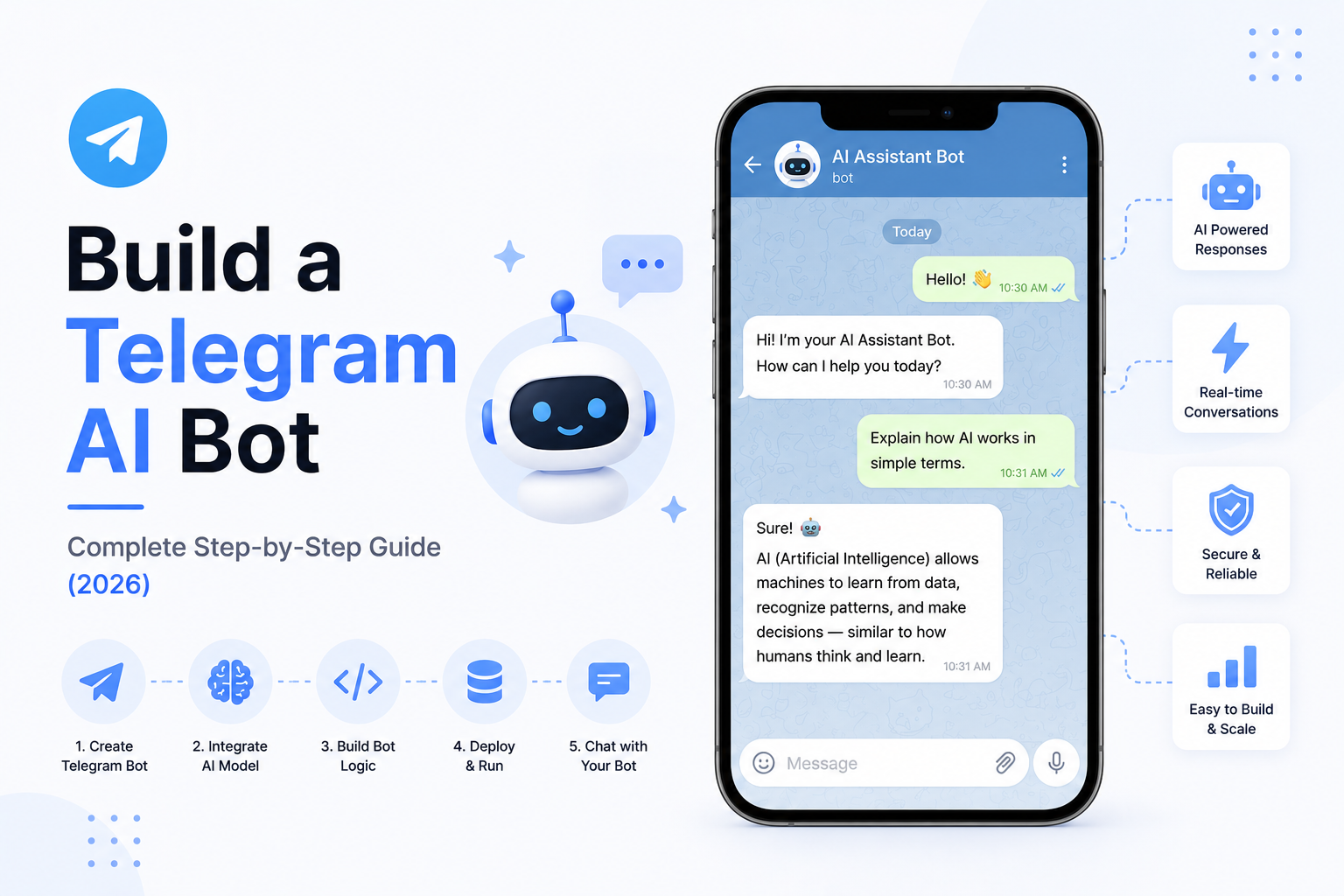
Build a Telegram AI Bot: Complete Step-by-Step Guide (2026)
Telegram has become one of the most popular platforms for building intelligent bots. Businesses, developers, and communities use Telegram bots to automate customer support, answer questions, send notifications, manage workflows, and even build AI-powered assistants.
By combining Telegram with Large Language Models (LLMs), AI Agents, and workflow automation, you can create an assistant that not only chats with users but also performs real-world tasks.
In this tutorial, you'll learn how to build a production-ready Telegram AI Bot using Python and modern AI technologies.
---
What is a Telegram AI Bot?
A Telegram AI Bot is an intelligent assistant that communicates with users through Telegram.
Unlike traditional bots that follow predefined rules, an AI Bot can:
- Understand natural language
- Answer complex questions
- Search company knowledge
- Generate content
- Perform business actions
- Use APIs
- Access databases
- Remember conversations
This makes it suitable for customer support, internal operations, education, sales, and automation.
---
What Will We Build?
Our Telegram AI Bot will be capable of:
- Answering user questions
- Maintaining conversation history
- Searching business knowledge
- Calling APIs
- Using AI tools
- Automating workflows
- Generating summaries
- Connecting with business applications
The same architecture can later be extended into customer support bots, research assistants, HR bots, or internal company copilots.
---
System Architecture
A production-ready Telegram AI Bot follows this architecture:
User
↓
Telegram
↓
Telegram Bot API
↓
Webhook Server
↓
Python Backend
↓
Large Language Model
↓
Business Tools
↓
Database
↓
Response Sent to User
Each layer has a clear responsibility, making the system scalable and easier to maintain.
---
Step 1: Create a Telegram Bot
Begin by creating a bot through Telegram's official bot management interface.
After creating the bot, you'll receive a secure Bot Token.
This token allows your backend application to communicate with Telegram.
Store it securely using environment variables and never expose it publicly.
---
Step 2: Configure a Webhook
Telegram forwards incoming messages to your backend using webhooks.
Your webhook should:
- Receive new messages
- Verify requests
- Extract user information
- Forward messages to the AI engine
This becomes the main entry point for your AI application.
---
Step 3: Build the Backend
The backend manages all AI-related processing.
Its responsibilities include:
- Receiving Telegram messages
- Managing conversations
- Calling the AI model
- Executing tools
- Logging interactions
- Sending responses
Python frameworks such as FastAPI or Flask are commonly used.
---
Step 4: Connect an AI Model
Your backend communicates with a Large Language Model.
Popular options include:
- OpenAI
- Anthropic Claude
- Google Gemini
- Llama
- DeepSeek
- Mistral
The selected model processes user messages and generates intelligent responses.
---
Step 5: Add Conversation Memory
Memory allows the AI Bot to remember previous interactions.
Examples include:
- User preferences
- Previous questions
- Conversation history
- Saved tasks
- Business context
This enables more natural and personalized conversations.
---
Step 6: Integrate RAG
Many businesses need the bot to answer questions using company-specific information.
With Retrieval-Augmented Generation (RAG), the AI can search:
- Product Documentation
- Internal Wikis
- Company Policies
- FAQs
- Technical Manuals
- Knowledge Bases
Instead of relying only on the model's training, the AI retrieves relevant business information before responding.
---
Step 7: Add Tool Calling
Modern AI models can interact with external tools.
Your Telegram AI Bot can:
- Book meetings
- Send emails
- Retrieve CRM records
- Search databases
- Generate invoices
- Create support tickets
- Query inventory
- Schedule reminders
This transforms the bot from a chatbot into a true AI Agent.
---
Step 8: Connect Business Applications
Telegram bots become much more valuable when integrated with existing business systems.
Examples include:
- CRM Platforms
- ERP Software
- Google Calendar
- Slack
- Notion
- GitHub
- Stripe
- Internal APIs
These integrations allow users to complete real business tasks directly from Telegram.
---
Step 9: Automate Workflows
The AI Bot can automate complete workflows.
Example:
User requests a demo
↓
AI qualifies the lead
↓
Collects contact information
↓
Creates CRM record
↓
Schedules meeting
↓
Notifies sales team
↓
Confirms booking
Entire business processes can run automatically.
---
Step 10: Human Handoff
Not every conversation should remain automated.
The bot should transfer conversations when:
- A user requests human support
- The AI has low confidence
- Sensitive issues arise
- Manual approval is required
- Complex technical support is needed
This ensures a reliable customer experience.
---
Deployment
Production deployments commonly use:
- Docker
- AWS
- Google Cloud
- Azure
- Railway
- Render
- DigitalOcean
Monitoring and logging should be enabled before deployment.
---
Security Best Practices
Telegram AI Bots often process sensitive information.
Best practices include:
- Store Bot Tokens securely.
- Validate incoming webhook requests.
- Encrypt sensitive data.
- Implement role-based access control.
- Monitor system activity.
- Apply rate limiting.
- Rotate credentials regularly.
Security is essential for business deployments.
---
Common Use Cases
Telegram AI Bots are used for:
Customer Support
Provide instant answers and resolve common issues.
---
Internal Company Assistant
Help employees search documentation and complete routine tasks.
---
Sales Assistant
Qualify leads and schedule meetings.
---
HR Bot
Answer policy questions and assist employees.
---
IT Help Desk
Resolve technical queries and create support tickets.
---
Research Assistant
Summarize information and organize research findings.
---
Common Mistakes
Developers often encounter issues such as:
- No conversation memory
- Poor webhook validation
- Missing error handling
- Hardcoded Bot Tokens
- Weak prompt design
- No analytics
- Lack of human escalation
Avoiding these mistakes leads to more reliable AI systems.
---
Recommended Tech Stack
A production-ready Telegram AI Bot can use:
- Python
- FastAPI
- OpenAI or Claude
- LangGraph
- PostgreSQL
- Redis
- Pinecone or Qdrant
- Docker
- Telegram Bot API
- React Admin Dashboard
This stack provides flexibility for both startups and enterprise applications.
---
Future Enhancements
Telegram AI Bots will continue evolving with capabilities such as:
- Voice Conversations
- Multi-Agent Collaboration
- Image Understanding
- AI Task Planning
- Workflow Automation
- MCP Integration
- Business Intelligence Dashboards
These features will enable businesses to automate increasingly complex operations.
---
Final Thoughts
Building a Telegram AI Bot is one of the most practical ways to bring AI into real-world business operations.
By combining Telegram, Python, Large Language Models, Retrieval-Augmented Generation, tool calling, and workflow automation, developers can create intelligent assistants that improve productivity and automate repetitive work.
Whether you're building a customer support bot, an internal company assistant, or an enterprise AI Agent, Telegram provides a flexible and scalable platform for AI-powered automation.
---
Ready to Build Your Telegram AI Bot?
At WyndrelLabs, we build intelligent Telegram AI Bots for startups and enterprises.
From customer support and internal knowledge assistants to AI Agents, CRM integrations, workflow automation, and RAG-powered search, we create secure, scalable Telegram solutions tailored to your business.
Book a free consultation today and discover how a Telegram AI Bot can automate communication and accelerate your business.