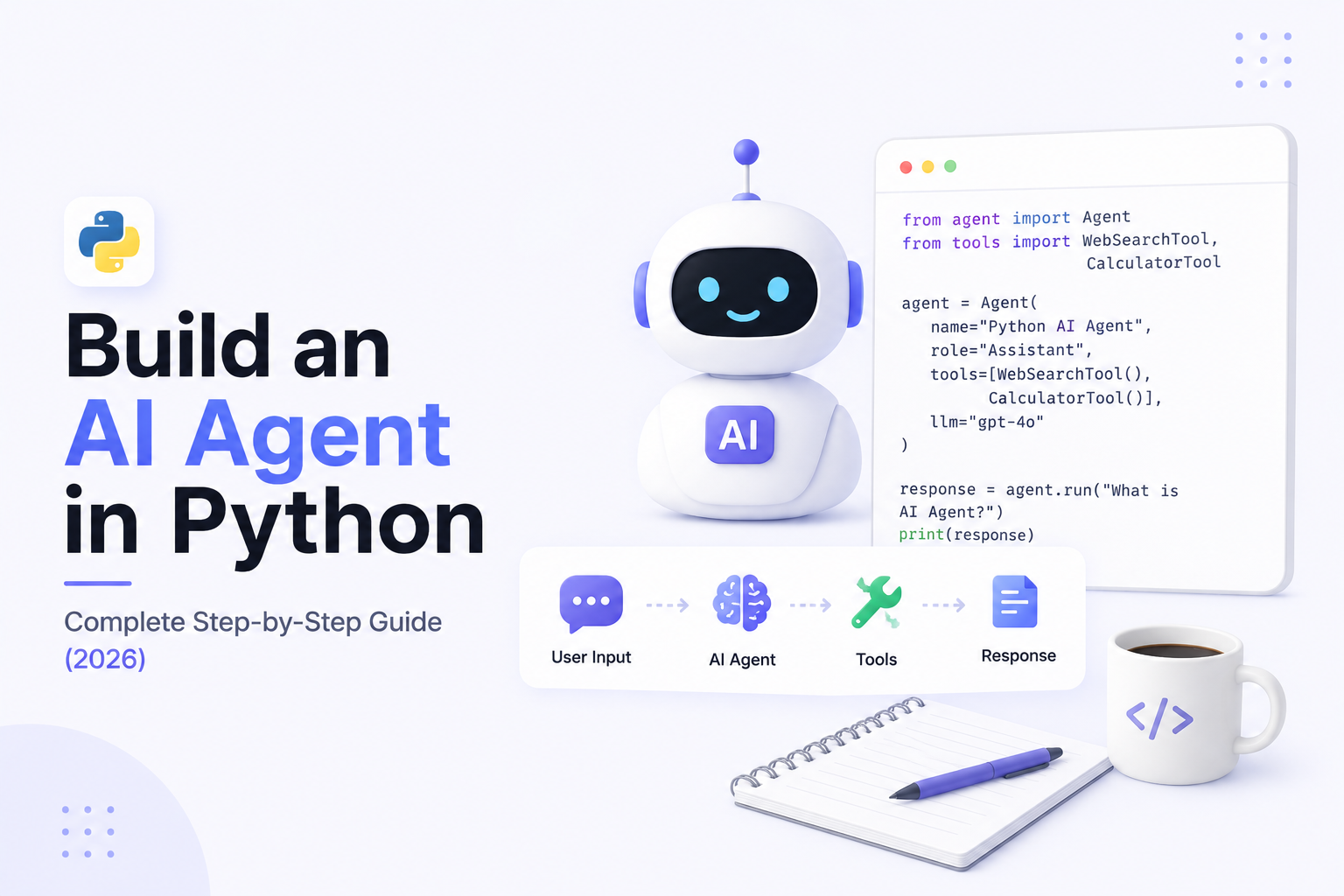
Build an AI Agent in Python: Complete Step-by-Step Guide (2026)
AI Agents are quickly becoming one of the most exciting areas of Artificial Intelligence. Unlike traditional chatbots that simply answer questions, AI Agents can understand goals, make decisions, use external tools, access databases, call APIs, and complete real-world tasks.
Python has become the most popular programming language for building AI Agents because of its simplicity, powerful ecosystem, and excellent support for AI frameworks.
In this tutorial, you'll learn how to build an AI Agent in Python, understand the overall architecture, choose the right tools, and prepare your project for production deployment.
---
What is an AI Agent?
An AI Agent is an intelligent software system that can:
- Understand user requests
- Reason about tasks
- Use external tools
- Access APIs
- Search knowledge bases
- Store memory
- Make decisions
- Complete multi-step workflows
Unlike a traditional chatbot, an AI Agent can perform actions instead of only generating text.
---
What Will We Build?
By the end of this guide you'll understand how to build an AI Agent capable of:
- Answering user questions
- Searching documents
- Calling APIs
- Using tools
- Remembering conversations
- Executing workflows
- Generating structured responses
- Working with business applications
This architecture can later be expanded into customer support agents, research assistants, HR agents, CRM assistants, or internal business copilots.
---
Why Use Python?
Python has become the standard language for AI development because it offers:
- Simple syntax
- Large AI ecosystem
- Excellent documentation
- Strong community support
- Easy API integration
- Rich machine learning libraries
- Production-ready frameworks
Almost every major AI framework provides first-class Python support.
---
Step 1: Plan Your AI Agent
Before writing code, define what your AI Agent should do.
Examples include:
- Customer Support Agent
- Research Assistant
- HR Assistant
- Sales Agent
- CRM Assistant
- Email Assistant
- Document Search Agent
- Coding Assistant
A clear objective simplifies the entire development process.
---
Step 2: Design the Architecture
A typical AI Agent follows this flow:
User
↓
Frontend
↓
Python Backend
↓
Large Language Model
↓
Tools
↓
APIs
↓
Database
↓
Response
Separating responsibilities into layers makes the application easier to maintain and scale.
---
Step 3: Choose an AI Model
Your Python application needs a language model.
Popular choices include:
- OpenAI
- Anthropic Claude
- Google Gemini
- Llama
- Mistral
- DeepSeek
Select a model based on your application's requirements for speed, reasoning, and cost.
---
Step 4: Build the Backend
Python is responsible for:
- Receiving user requests
- Managing conversations
- Calling AI models
- Handling tool execution
- Processing responses
- Returning results
Many developers use frameworks such as FastAPI or Flask to expose AI functionality through APIs.
---
Step 5: Add Memory
Memory allows the AI Agent to remember previous interactions.
Examples include:
- Conversation history
- User preferences
- Previous actions
- Business context
- Completed tasks
Without memory, every request is treated as a completely new conversation.
---
Step 6: Connect External Tools
The real power of AI Agents comes from tool usage.
Examples include:
- Google Calendar
- Gmail
- Slack
- GitHub
- CRM Systems
- Databases
- Weather APIs
- Payment Systems
- Internal Business APIs
Instead of only answering questions, the AI can perform real actions.
---
Step 7: Add RAG (Retrieval-Augmented Generation)
If your AI needs company knowledge, integrate a RAG pipeline.
Workflow:
User Question
↓
Embedding Search
↓
Vector Database
↓
Relevant Documents
↓
LLM
↓
Final Answer
This enables the AI Agent to answer questions using your own documentation instead of relying only on model knowledge.
---
Step 8: Enable Tool Calling
Modern AI models can decide when to use external tools.
Examples include:
- Book meetings
- Send emails
- Search databases
- Retrieve CRM records
- Create support tickets
- Generate reports
Tool calling turns an AI Agent into an active business assistant.
---
Step 9: Add APIs
Most AI Agents integrate with external services.
Common integrations include:
- Stripe
- HubSpot
- Salesforce
- Slack
- Telegram
- Google Workspace
- Microsoft 365
- Notion
These integrations allow the AI to interact with business workflows.
---
Step 10: Store Data
Production AI systems often use databases.
Common choices include:
- PostgreSQL
- MongoDB
- Redis
- Pinecone
- Qdrant
- ChromaDB
Each serves a different purpose, from storing conversations to powering semantic search.
---
Step 11: Build a User Interface
Users need a way to interact with the AI.
Popular frontend options include:
- React
- Next.js
- Vue
- Mobile Apps
- Telegram
- Slack
- Internal Dashboards
Choose the interface based on where your users already work.
---
Step 12: Test Your Agent
Before deployment, verify that the AI can:
- Answer questions correctly
- Handle invalid input
- Recover from API failures
- Use tools reliably
- Remember context
- Produce structured outputs
Testing is critical for dependable production systems.
---
Step 13: Deploy to Production
Common deployment platforms include:
- Docker
- AWS
- Google Cloud
- Azure
- Railway
- Render
- DigitalOcean
Use environment variables for secrets and configure monitoring before going live.
---
Production Best Practices
To build reliable AI Agents:
- Protect API keys.
- Validate user input.
- Add rate limiting.
- Log important events.
- Monitor token usage.
- Implement retry logic.
- Secure external integrations.
- Review AI outputs for critical workflows.
These practices improve security and reliability.
---
Common Mistakes
Developers often encounter problems such as:
- No conversation memory
- Poor prompt design
- Missing error handling
- Hardcoded API keys
- Weak security
- Ignoring monitoring
- Overcomplicated architectures
Keeping the initial implementation simple helps avoid these issues.
---
Real-World Applications
Python AI Agents are used for:
Customer Support
Answer questions and automate ticket handling.
---
Sales
Qualify leads and update CRM systems.
---
Human Resources
Automate onboarding and answer employee questions.
---
Healthcare
Assist with scheduling and administrative workflows.
---
Finance
Generate reports and support compliance processes.
---
Research
Search documents and summarize information.
---
Recommended Tech Stack
A modern production AI Agent can use:
- Python
- FastAPI
- OpenAI or Claude
- LangGraph
- LangChain
- Pinecone or Qdrant
- PostgreSQL
- Redis
- Docker
- React
- Nginx
This stack supports scalable and maintainable AI applications.
---
Future Enhancements
Once your basic AI Agent is working, you can extend it with:
- Voice AI
- Multi-Agent Systems
- Long-Term Memory
- MCP Integration
- Workflow Automation
- Computer Vision
- Autonomous Planning
- Human Approval Flows
These features make the agent more capable and suitable for enterprise environments.
---
Final Thoughts
Building an AI Agent in Python is one of the best ways to learn modern AI engineering.
By combining Python with Large Language Models, tool calling, memory, APIs, and Retrieval-Augmented Generation, you can create intelligent applications that solve real business problems.
Start with a simple architecture, validate each component, and expand your system as requirements grow. This approach leads to scalable and production-ready AI solutions.
---
Ready to Build Your Own AI Agent?
At WyndrelLabs, we design and develop custom AI Agents for startups, enterprises, and growing businesses.
Whether you need a customer support agent, HR assistant, research assistant, CRM copilot, or an enterprise AI workflow, we build secure, scalable solutions using Python, LangGraph, OpenAI, RAG, and modern AI technologies.
Book a free consultation today and discover how AI Agents can automate workflows and accelerate your business.