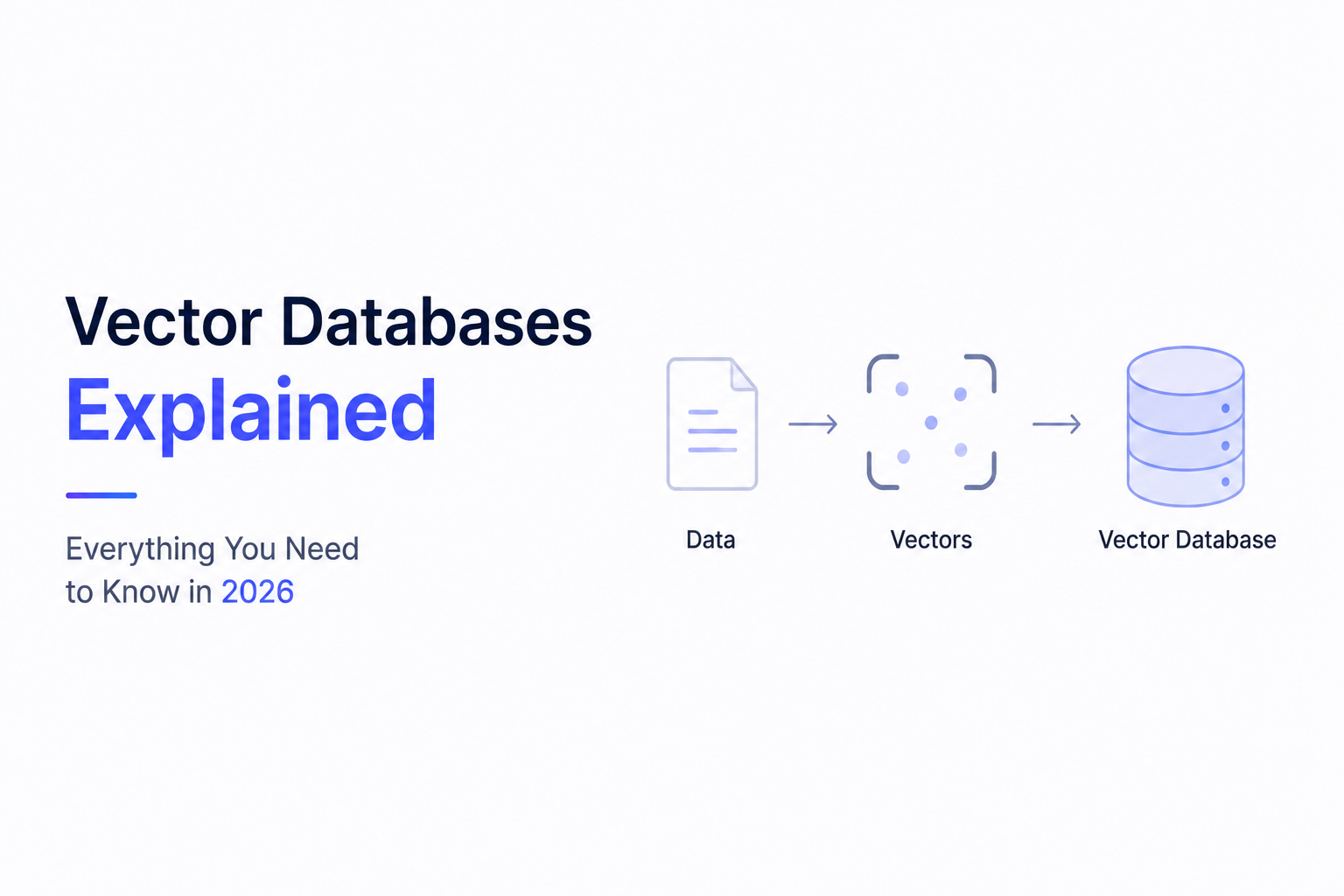
Vector Databases Explained: Everything You Need to Know in 2026
Artificial Intelligence has changed the way we search, retrieve, and interact with information. Modern AI applications don't rely on traditional keyword searches anymore—they understand meaning.
Whether you're building an AI chatbot, enterprise knowledge base, document search engine, recommendation system, or Retrieval-Augmented Generation (RAG) application, one technology sits at the center of it all:
Vector Databases.
Without Vector Databases, modern AI assistants wouldn't be able to search millions of documents in seconds or answer questions based on your private business data.
In this guide, we'll explain what Vector Databases are, how they work, why they're important, and how businesses use them to build intelligent AI systems.
---
What is a Vector Database?
A Vector Database is a specialized database designed to store and search vector embeddings instead of traditional rows and columns.
Unlike SQL databases that search for exact values, Vector Databases search for information based on meaning.
Instead of asking:
"Find documents containing the exact word 'refund'."
A Vector Database can answer:
"Find documents talking about returns, exchanges, cancellations, and refunds."
Even if the exact word isn't present.
That's because it understands semantic similarity.
---
Traditional Database vs Vector Database
Imagine you own an online store.
A customer searches:
"How do I return my shoes?"
Traditional Search:
Looks only for the word return.
If your document contains:
"Exchange Policy"
it might never appear.
---
Vector Search:
Understands that:
- Return
- Refund
- Exchange
- Product Replacement
all have similar meanings.
It retrieves the correct document even without exact keyword matching.
---
What is a Vector?
Computers don't understand language the way humans do.
Before storing text, AI converts it into numbers.
These numbers are called vectors.
Example:
"Artificial Intelligence"

↓

[0.18, -0.72, 0.91, 0.24, ...]
This mathematical representation captures the meaning of the text.
Documents discussing similar topics produce vectors that are located close together in vector space.
---
What are Embeddings?
Embeddings are numerical representations of data.
They capture the semantic meaning of:
- Text
- Images
- Audio
- Videos
- Documents
Instead of storing words, AI stores their meaning.
This is why semantic search works so well.
---
How Vector Databases Work
A typical workflow looks like this:
Business Documents
↓
Embedding Model
↓
Generate Vector Embeddings
↓
Store in Vector Database
↓
User asks a question
↓
Convert Question into Embedding
↓
Similarity Search
↓
Relevant Documents Retrieved
↓
Large Language Model Generates Answer
This process usually takes only milliseconds.
---
Why Are Vector Databases Important?
Large Language Models don't automatically know your company's private information.
A Vector Database gives AI access to your business knowledge.
Without it, AI can only answer using its training data.
With it, AI can answer questions using:
- Internal documents
- Product manuals
- SOPs
- Contracts
- Knowledge bases
- CRM records
- Research papers
- Policies
This makes AI significantly more useful for businesses.
---
Semantic Search Explained
Traditional search asks:
"Does this document contain these words?"
Vector search asks:
"Does this document mean the same thing?"
Example:
User asks:
"How can I cancel my subscription?"
The document contains:
"Membership Termination Policy"
Traditional search may fail.
Vector search immediately finds the document because it understands the intent.
---
Common Vector Database Features
Modern Vector Databases provide:
- Similarity Search
- Metadata Filtering
- Hybrid Search
- Fast Indexing
- High Availability
- Horizontal Scaling
- API Access
- Cloud Deployment
- Security Controls
These features make them suitable for enterprise AI applications.
---
Popular Vector Databases
Several excellent Vector Databases are available today.
Pinecone
A fully managed cloud-native vector database designed for enterprise AI applications.
Ideal for production deployments requiring scalability and reliability.
---
ChromaDB
An open-source vector database popular among developers and startups.
Great for prototypes, local development, and small to medium-sized AI projects.
---
Qdrant
A high-performance open-source Vector Database optimized for filtering and enterprise workloads.
---
Weaviate
Designed for semantic search and AI-powered knowledge management.
Provides strong GraphQL support.
---
Milvus
Built for large-scale machine learning and enterprise vector search.
Suitable for handling billions of embeddings.
---
Real-World Use Cases
AI Chatbots
Instead of memorizing every document, AI retrieves relevant information from the Vector Database before responding.
---
Customer Support
Support bots search:
- FAQs
- Documentation
- Warranty policies
- Shipping information
before answering customers.
---
Enterprise Knowledge Base
Employees ask questions naturally.
AI retrieves answers from company documentation instantly.
---
Recommendation Systems
Streaming platforms and e-commerce websites recommend products based on similarity rather than simple categories.
---
Healthcare
Hospitals retrieve medical guidelines, research papers, and patient documentation more efficiently.
---
Legal
Law firms search contracts, regulations, and case files using semantic search.
---
Benefits of Vector Databases
Businesses adopting Vector Databases gain several advantages.
Faster Search
Millions of documents can be searched in milliseconds.
---
Better Accuracy
Results are based on meaning rather than exact wording.
---
Improved AI Responses
LLMs answer using relevant business information.
---
Scalable Architecture
Vector Databases can store millions—or even billions—of embeddings.
---
Easy Integration
Modern databases integrate with:
- OpenAI
- Claude
- Gemini
- LangChain
- LlamaIndex
- LangGraph
- FastAPI
- Python
- Node.js
---
Challenges
While Vector Databases are powerful, developers should consider:
- Choosing the right embedding model
- Optimizing chunk size
- Managing metadata
- Updating documents regularly
- Reducing retrieval latency
- Monitoring search quality
Proper implementation significantly improves RAG performance.
---
Best Practices
When using Vector Databases:
- Keep documents updated.
- Use high-quality embedding models.
- Store meaningful metadata.
- Remove duplicate content.
- Optimize chunk sizes.
- Retrieve only the most relevant documents.
- Test search quality regularly.
Following these practices ensures better AI performance.
---
Future of Vector Databases
Vector Databases are becoming the memory layer of modern AI systems.
Future developments will include:
- Multimodal search
- Image and video embeddings
- Hybrid keyword + semantic search
- Real-time indexing
- AI Agent memory
- Autonomous reasoning
- Distributed vector storage
As AI continues to evolve, Vector Databases will play an increasingly important role in intelligent applications.
---
Final Thoughts
Vector Databases are one of the foundational technologies behind modern AI.
They enable applications to understand meaning instead of simply matching keywords, making AI assistants smarter, more accurate, and better suited for real-world business use.
Whether you're building a RAG chatbot, AI Agent, enterprise knowledge base, or semantic search engine, a Vector Database provides the scalable memory layer that powers intelligent information retrieval.
Understanding how Vector Databases work is essential for anyone building next-generation AI applications.
---
Ready to Build AI Applications with Vector Databases?
At WyndrelLabs, we build enterprise-grade AI solutions powered by Vector Databases such as Pinecone, ChromaDB, Qdrant, and Weaviate.
Whether you're creating a RAG chatbot, AI knowledge assistant, semantic search platform, or enterprise AI Agent, our team can design and deploy a scalable architecture tailored to your business.
Book a free consultation today and discover how Vector Databases can power your next AI solution.