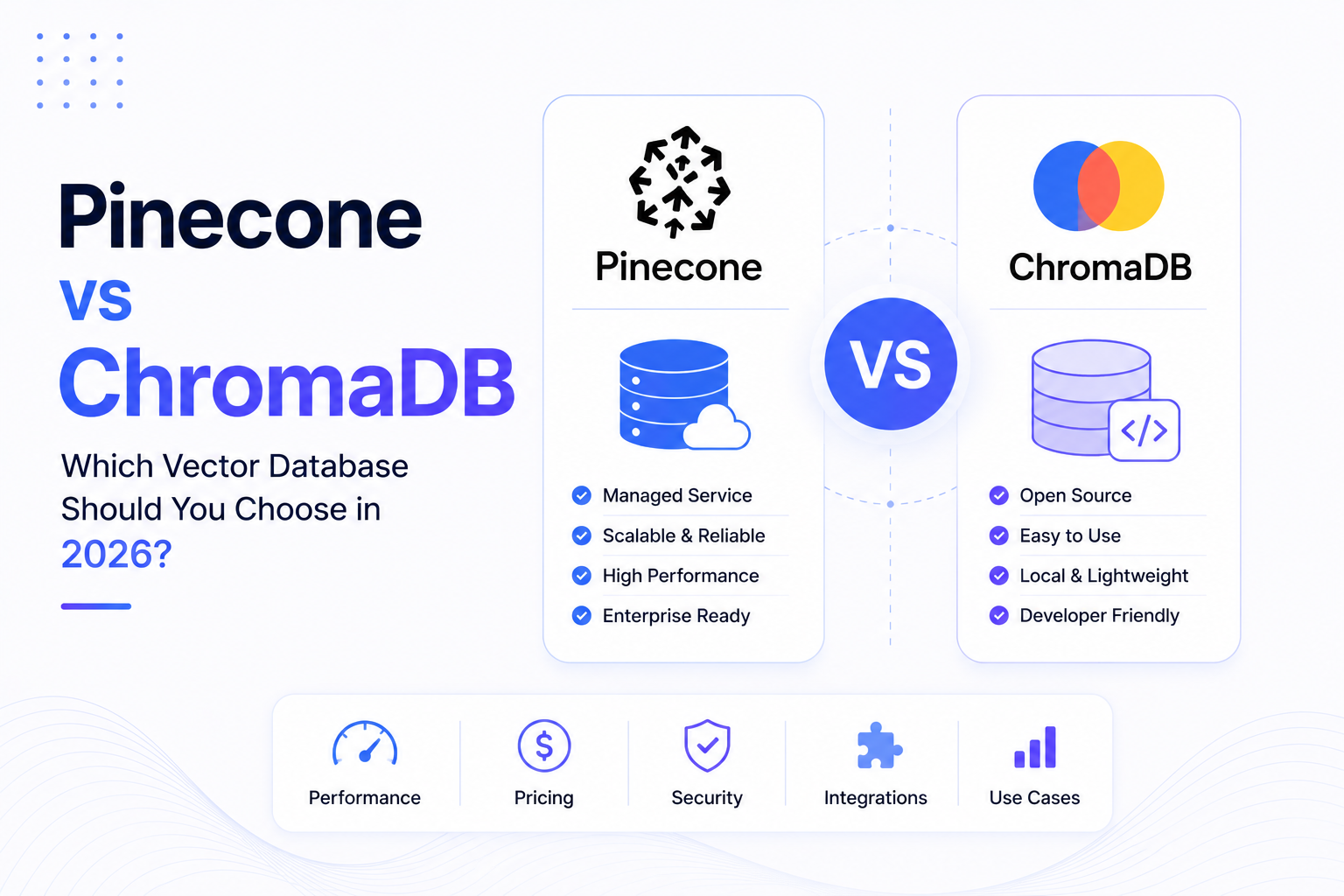
Pinecone vs ChromaDB: Which Vector Database Should You Choose in 2026?
Retrieval-Augmented Generation (RAG) has become one of the most important architectures for building modern AI applications. Whether you're creating an AI chatbot, enterprise search engine, document assistant, or AI Agent, one component is essential—a Vector Database.
Among the most popular vector databases are Pinecone and ChromaDB.
Both platforms store vector embeddings and perform semantic search, but they differ significantly in architecture, scalability, deployment options, and enterprise capabilities.
In this guide, we'll compare Pinecone and ChromaDB to help you decide which solution is best for your AI project.
---
What is a Vector Database?
Traditional databases search using exact values.
For example:
Product Name = LaptopA vector database works differently.
Instead of matching exact words, it searches based on meaning.
Every document, paragraph, image, or sentence is converted into a numerical representation called an embedding.
When a user asks a question, the query is also converted into an embedding.
The vector database then finds the stored vectors that are most semantically similar.
This is the foundation of RAG systems.
---
What is Pinecone?
Pinecone is a fully managed cloud vector database designed specifically for production AI applications.
It handles infrastructure, indexing, scaling, backups, and optimization automatically.
Developers only need to upload embeddings and query them.
Pinecone is widely used in enterprise AI systems because it provides excellent performance without requiring database management.
---
What is ChromaDB?
ChromaDB is an open-source vector database built primarily for developers.
It focuses on simplicity and is commonly used during development, testing, and small to medium-sized AI applications.
Since it is open source, developers have complete control over deployment and customization.
Many beginners choose ChromaDB because it is easy to set up and integrates well with popular AI frameworks.
---
Feature Comparison
| Feature | Pinecone | ChromaDB |
|---|---|---|
| Cloud Managed | ✅ Yes | ❌ Self Managed |
| Open Source | ❌ No | ✅ Yes |
| Enterprise Ready | ✅ Yes | Medium |
| Self Hosting | Limited | ✅ Yes |
| Automatic Scaling | ✅ Yes | Manual |
| Infrastructure Management | None | Required |
| AI Framework Support | Excellent | Excellent |
Both databases solve the same problem but target different audiences.
---
Ease of Setup
Pinecone
Getting started with Pinecone is straightforward.
Developers simply:
- Create an account
- Generate an API key
- Create an index
- Upload embeddings
- Start querying
No database administration is required.
---
ChromaDB
ChromaDB is equally simple for local development.
Developers install it using Python or Docker and create collections directly in code.
Because it is self-managed, additional work may be required for production deployments.
---
Performance
Pinecone
Pinecone is optimized for:
- Large datasets
- Millions or billions of vectors
- Low latency
- High availability
- Enterprise workloads
It automatically manages indexing and performance optimization.
---
ChromaDB
ChromaDB performs well for:
- Local applications
- Small datasets
- Medium-sized AI systems
- Development environments
Performance depends on your own infrastructure.
---
Scalability
Pinecone
Designed specifically for enterprise AI.
It can scale to millions or even billions of vectors without requiring developers to manage servers.
Ideal for SaaS products and production environments.
---
ChromaDB
Scalability depends entirely on your deployment architecture.
Developers are responsible for:
- Storage
- Memory
- Backups
- Performance optimization
- High availability
This provides flexibility but also increases operational responsibility.
---
Deployment
Pinecone
Cloud-native platform.
Infrastructure is fully managed.
Perfect for businesses that want to focus on application development rather than server management.
---
ChromaDB
Can be deployed:
- Locally
- On Docker
- On cloud servers
- On private infrastructure
Ideal for organizations requiring full control over their environment.
---
Cost
Pinecone
Pinecone follows a managed cloud pricing model.
Businesses pay for the resources they consume.
Although costs increase with scale, infrastructure management costs are eliminated.
---
ChromaDB
The software itself is open source.
However, businesses must pay for:
- Cloud servers
- Storage
- Monitoring
- Maintenance
- Backups
- Infrastructure management
For smaller applications, ChromaDB can be very cost-effective.
---
AI Framework Integration
Both databases integrate seamlessly with modern AI tools.
Supported frameworks include:
- LangChain
- LlamaIndex
- OpenAI
- Claude
- Gemini
- Hugging Face
- FastAPI
- Python
- Node.js
Developers can build RAG applications using either platform.
---
Security
Pinecone
Provides enterprise-grade cloud security including:
- Encryption
- Access control
- Managed infrastructure
- High availability
Ideal for production workloads.
---
ChromaDB
Security depends entirely on your deployment.
Organizations must manage:
- Authentication
- Backups
- Network security
- Updates
- Infrastructure monitoring
This offers flexibility but requires technical expertise.
---
Best Use Cases
Choose Pinecone if:
- You're building production AI products.
- You need enterprise scalability.
- You don't want to manage servers.
- Your application serves many users.
- Reliability is a priority.
---
Choose ChromaDB if:
- You're learning RAG.
- You're building prototypes.
- You need complete control.
- You prefer open-source software.
- You're comfortable managing infrastructure.
---
Pinecone vs ChromaDB at a Glance
| Category | Winner |
|---|---|
| Ease of Use | Pinecone |
| Enterprise Deployment | Pinecone |
| Open Source | ChromaDB |
| Self Hosting | ChromaDB |
| Scalability | Pinecone |
| Infrastructure Management | Pinecone |
| Developer Flexibility | ChromaDB |
| Learning Projects | ChromaDB |
| Production AI Applications | Pinecone |
There is no universal winner—the right choice depends on your project requirements.
---
Which Database Does WyndrelLabs Recommend?
At WyndrelLabs, we typically recommend:
Pinecone for enterprise AI solutions, SaaS platforms, customer support systems, and production RAG applications where scalability and reliability are essential.
ChromaDB for prototypes, proof-of-concepts, internal tools, and early-stage AI development where flexibility and low cost are more important.
The choice always depends on your application's scale, budget, and operational requirements.
---
Future of Vector Databases
As AI applications continue to grow, vector databases will become a standard part of modern software architecture.
Future vector databases will support:
- Hybrid search
- Multimodal data
- Image and video embeddings
- Real-time indexing
- Distributed AI infrastructure
- Autonomous AI Agents
They will serve as the memory layer for intelligent AI systems.
---
Final Thoughts
Pinecone and ChromaDB are both excellent vector databases, but they serve different audiences.
Pinecone is ideal for businesses building scalable, production-ready AI systems with minimal infrastructure management.
ChromaDB is an outstanding choice for developers who want an open-source solution with full control and flexibility.
Understanding your project's goals, expected scale, and operational requirements will help you choose the right vector database for your AI application.
---
Ready to Build a RAG-Powered AI Application?
At WyndrelLabs, we design and build enterprise-grade RAG systems using Pinecone, ChromaDB, Qdrant, and other modern vector databases.
Whether you're developing an AI chatbot, knowledge assistant, document search platform, or enterprise AI Agent, we can help you choose the right architecture and build a scalable solution tailored to your business.
Book a free consultation today and discover how vector databases can power your next AI application.