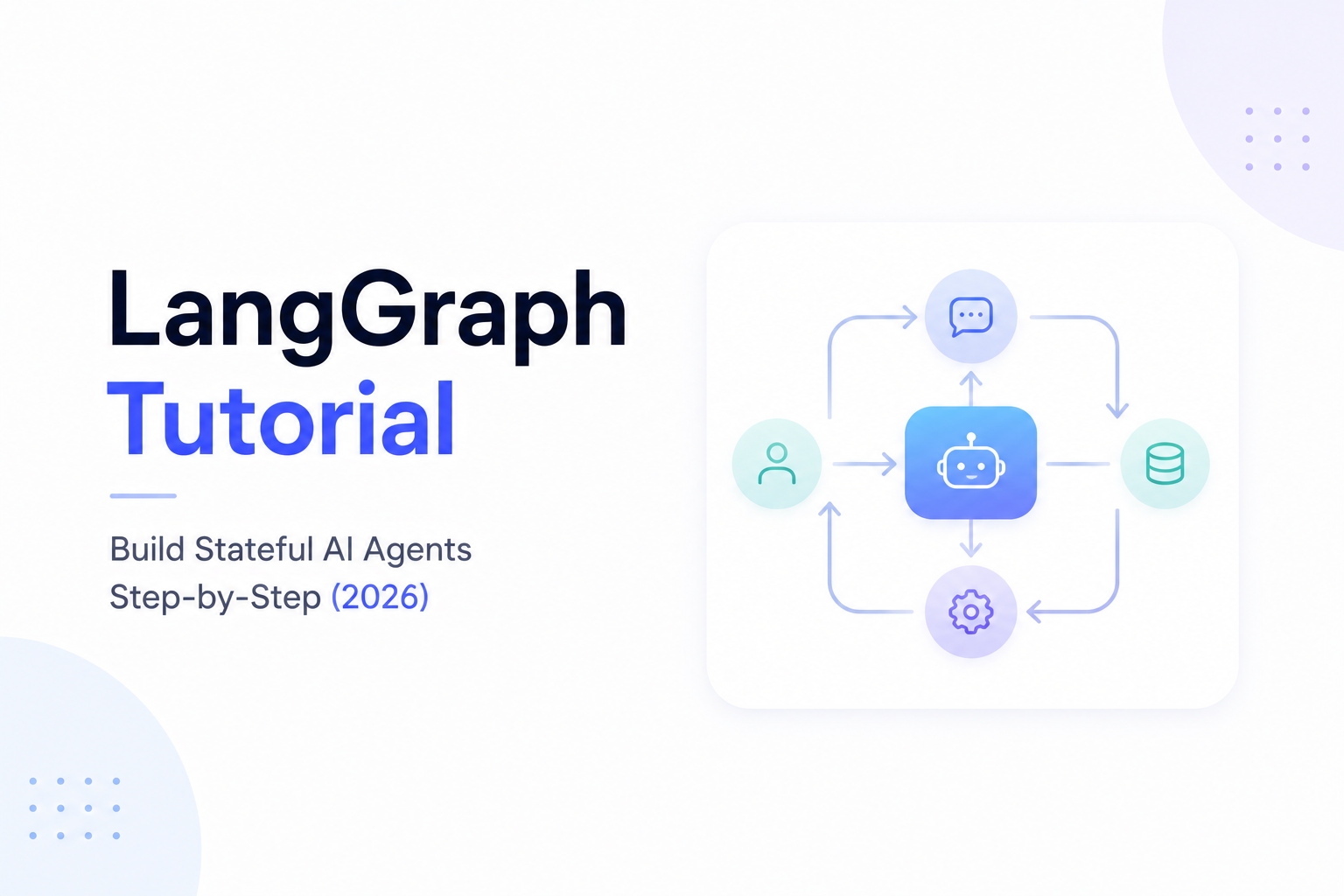
LangGraph Tutorial: Build Stateful AI Agents Step-by-Step (2026)
Artificial Intelligence is evolving beyond simple chatbots.
Modern AI systems are expected to plan tasks, use tools, remember previous conversations, collaborate with other agents, and make intelligent decisions autonomously.
Traditional AI workflows are often linear, making them unsuitable for these complex scenarios.
This is where LangGraph comes in.
Built on top of LangChain, LangGraph enables developers to build stateful AI Agents capable of handling dynamic workflows, long-running conversations, and multi-step reasoning.
In this tutorial, you'll learn what LangGraph is, how it works, and how to build production-ready AI Agents using graph-based workflows.
---
What is LangGraph?
LangGraph is an open-source framework for building AI applications using graph-based execution instead of simple sequential chains.
Instead of following one fixed path, AI Agents built with LangGraph can:
- Remember previous actions
- Retry failed steps
- Choose different execution paths
- Call external tools
- Collaborate with humans
- Coordinate with other AI agents
This makes LangGraph ideal for enterprise AI systems.
---
Why LangGraph Was Created
Traditional LangChain applications follow a predictable flow.
Example:
User
↓
Retriever
↓
LLM
↓
Answer
While effective for many use cases, this approach becomes limiting when AI needs to:
- Make decisions
- Repeat tasks
- Wait for approvals
- Handle branching logic
- Manage long-running workflows
LangGraph solves these problems by introducing graph-based execution.
---
Graph Architecture
Every LangGraph application consists of:
- State
- Nodes
- Edges
- Conditional Routing
- Memory
Together these components define how an AI Agent thinks and acts.
---
Understanding State
State is the memory of your AI Agent.
It stores information such as:
- Conversation history
- Retrieved documents
- Tool outputs
- Current task
- Previous decisions
- User preferences
Every node can read and update this shared state.
Without state, agents cannot remember what has already happened.
---
Understanding Nodes
Nodes are individual units of work.
Examples include:
- Call an LLM
- Search a Vector Database
- Query a CRM
- Execute Python code
- Send an email
- Retrieve documents
- Generate a report
Each node performs one clearly defined task.
---
Understanding Edges
Edges connect nodes together.
Example:
User Input
↓
Retrieve Documents
↓
LLM
↓
Answer
Edges determine the execution flow.
---
Conditional Routing
One of LangGraph's biggest strengths is dynamic routing.
Example:
Customer asks for pricing
↓
AI checks account
↓
If customer exists
↓
Retrieve CRM
↓
Generate response
Else
↓
Collect customer information
↓
Create new lead
Different execution paths are selected automatically based on state.
---
Memory Management
LangGraph provides persistent state management.
This allows AI Agents to:
- Continue previous conversations
- Remember completed tasks
- Resume interrupted workflows
- Track long-running projects
This capability is essential for enterprise AI.
---
Tool Calling
LangGraph integrates seamlessly with external tools.
Examples include:
- OpenAI
- Claude
- Gemini
- Google Calendar
- Slack
- GitHub
- Gmail
- SQL Databases
- MongoDB
- Pinecone
- Qdrant
Agents can perform real-world business operations instead of simply generating text.
---
Building Your First LangGraph Workflow
Let's design a simple AI support assistant.
Workflow:
Customer asks a question
↓
Retrieve knowledge base
↓
Search Vector Database
↓
Generate answer
↓
If confidence is low
↓
Escalate to human
↓
Otherwise
↓
Return response
Even this basic example demonstrates branching logic that would be difficult to manage using traditional sequential workflows.
---
Building an AI Research Agent
A research agent may follow this graph:
User Query
↓
Web Search
↓
Summarize Results
↓
Fact Check
↓
Generate Report
↓
Store Knowledge
↓
Return Final Answer
Each step is represented as a node.
---
Multi-Agent Workflow
LangGraph also supports multiple collaborating agents.
Example:
Planner Agent
↓
Research Agent
↓
Writer Agent
↓
Reviewer Agent
↓
Editor Agent
↓
Final Response
Each agent specializes in one responsibility.
---
Human-in-the-Loop
Enterprise AI often requires human approval.
LangGraph supports workflows like:
Generate Contract
↓
Legal Review
↓
Human Approval
↓
Client Delivery
The workflow pauses until approval is received.
---
RAG with LangGraph
LangGraph integrates naturally with Retrieval-Augmented Generation.
Workflow:
User Question
↓
Generate Embedding
↓
Vector Database Search
↓
Retrieve Documents
↓
LLM
↓
Validate Answer
↓
Return Response
Advanced workflows can retry searches or retrieve additional context if confidence is low.
---
Integrating APIs
LangGraph agents commonly interact with external systems.
Examples:
- CRM Platforms
- ERP Systems
- Payment Gateways
- Calendar Services
- Inventory Systems
- Internal APIs
- Cloud Storage
This allows AI Agents to complete real business tasks.
---
Production Features
A production-ready LangGraph application typically includes:
- Persistent memory
- Authentication
- Logging
- Monitoring
- Error handling
- Retry logic
- User permissions
- Streaming responses
- Analytics
- Rate limiting
These features improve reliability and scalability.
---
Common Use Cases
Businesses use LangGraph to build:
Customer Support Agents
Answer questions using company knowledge and escalate complex issues.
---
AI Sales Assistants
Qualify leads, update CRM systems, and schedule meetings.
---
HR Automation
Screen resumes, schedule interviews, and answer employee questions.
---
Financial Assistants
Generate reports, verify transactions, and assist with compliance.
---
Healthcare Assistants
Support appointment scheduling, patient communication, and documentation.
---
Research Agents
Collect, analyze, summarize, and organize information from multiple sources.
---
Best Practices
When building with LangGraph:
- Keep nodes focused on one task.
- Design a clear shared state.
- Use conditional routing wisely.
- Avoid unnecessary graph complexity.
- Add logging and monitoring.
- Test every execution path.
- Implement retry mechanisms.
- Protect sensitive data.
- Validate tool outputs.
These practices lead to more reliable AI systems.
---
Common Mistakes
Developers often encounter issues such as:
- Overly complex graphs
- Poor state management
- Missing error handling
- Infinite execution loops
- Weak prompt design
- Excessive API calls
- Lack of monitoring
Careful workflow design prevents these problems.
---
LangGraph vs LangChain
A simple comparison:
| Feature | LangChain | LangGraph |
|---|---|---|
| Linear Workflows | ✅ Excellent | ✅ Supported |
| Stateful Memory | Limited | Excellent |
| AI Agents | Good | Excellent |
| Conditional Routing | Basic | Advanced |
| Multi-Agent Systems | Limited | Excellent |
| Enterprise Workflows | Good | Excellent |
LangChain is ideal for straightforward pipelines, while LangGraph excels in complex, autonomous AI systems.
---
Future of LangGraph
As AI continues to evolve, graph-based architectures are expected to become the standard for enterprise AI.
Future LangGraph applications will include:
- Autonomous AI Employees
- Multi-Agent Collaboration
- Voice AI Integration
- Long-Term Memory
- Self-Improving Workflows
- Real-Time Business Automation
- Cross-System Decision Making
LangGraph is well positioned to support this next generation of AI applications.
---
Final Thoughts
LangGraph represents a significant step forward in AI application development.
By combining state management, graph-based execution, tool integration, and intelligent routing, developers can build AI Agents capable of handling complex business workflows that traditional chatbots cannot.
If you're planning to build autonomous AI systems, enterprise automation, or advanced multi-agent applications, learning LangGraph is a valuable investment.
---
Ready to Build AI Agents with LangGraph?
At WyndrelLabs, we design and develop enterprise-grade AI solutions using LangGraph, LangChain, OpenAI, Claude, and modern AI Agent architectures.
Whether you're building autonomous AI employees, RAG chatbots, customer support agents, or workflow automation systems, our team can create scalable, production-ready solutions tailored to your business.
Book a free consultation today and discover how LangGraph can power your next AI application.